
Cesium can now compute volumes directly in BIM models
Cesium has moved its toolset for working with design CAD and BIM models in a geospatial context to general availability (GA). The key part for designers: a model from Revit, IFC, AutoCAD or MicroStation can be uploaded to the Cesium ion cloud, placed on terrain and queried for engineering data. For example, you can compute material volume by model element.
Shipping to production are design model uploads, the BIM/CAD Tiler, import from Bentley Infrastructure Cloud, georeferencing with a preview before tiling, automatic generation of terrain clipping outlines with Clipping Assist, and queries against design models. Several more features, including the model tree and snapping measurements to edges, are so far available as Technology Preview.
The model lands in place before tiling
Previously an error in a model's position only surfaced once tiling had finished. The new georeferencing process, which the company says will appear in Cesium ion soon, adds a preview step: the model's position can be seen, checked and corrected before tiling starts.
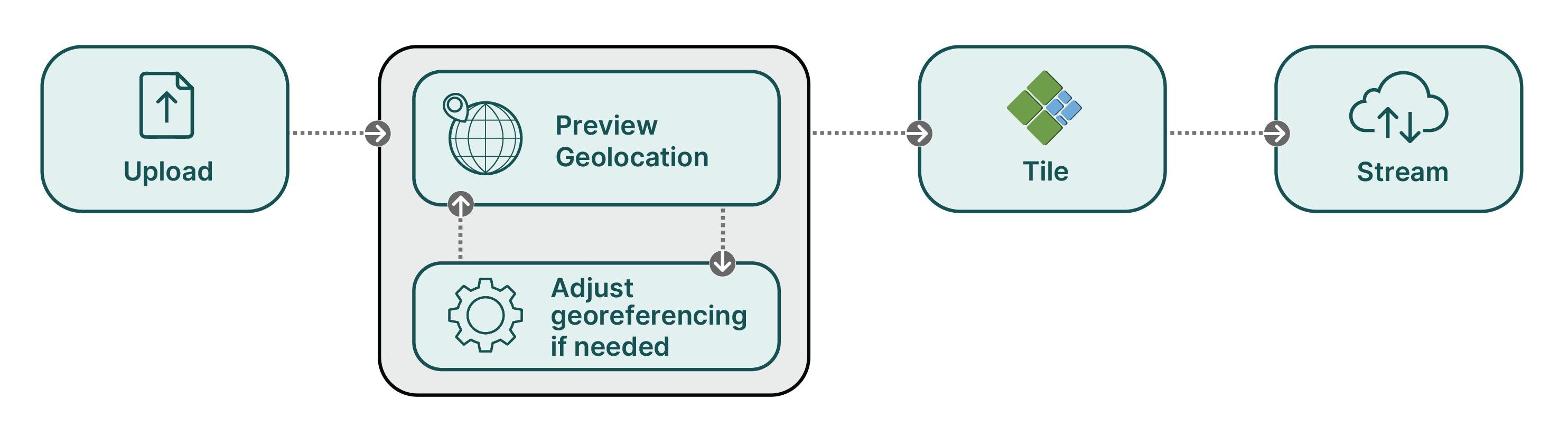
The second task that used to be done by hand is clipping existing terrain or 3D content around the project site. Cesium ion now builds an outline in GeoJSON format itself from the uploaded tileset, for use as a clipping polygon. The polygon does not have to be drawn from scratch: the user gets a draft and then checks and refines it.
Models from Bentley Infrastructure Cloud (iModel) connect to Cesium ion and combine with other data without exporting or duplicating the source project. The design model stays as a single instance and does not scatter into copies across different systems.
Formats and queries across the whole model
Cesium added the BIM/CAD Tiler in the summer, using Bentley technologies. It accepts the Revit (.rvt), IFC, MicroStation (.dgn), AutoCAD (.dwg) and DXF formats. As the tiler selection guide indicates, for DGN, DWG and DXF it is the only option, and Revit files can be uploaded without a local Revit installation. The tiler puts most element properties into an external database, so they can be queried even for the parts of the model that are not currently loaded on screen. During tiling you can filter geometry types — polygonal geometry, lines or text. The second tiler, Design Tiler, retains its own niche: it is needed when element properties are complex and nested or have to sit directly in the tileset, for styling, for instance.
The programming interface for querying model elements has also gone GA. It returns more data, including IFC property sets that were previously unavailable. New are aggregating queries: across all matching elements you can get the count, minimum, maximum, average or sum of a property's values. The company cites the example of a cost estimator counting all concrete slabs on a selected level and their total concrete volume in cubic meters, as well as calculating rebar weight for a bridge project.
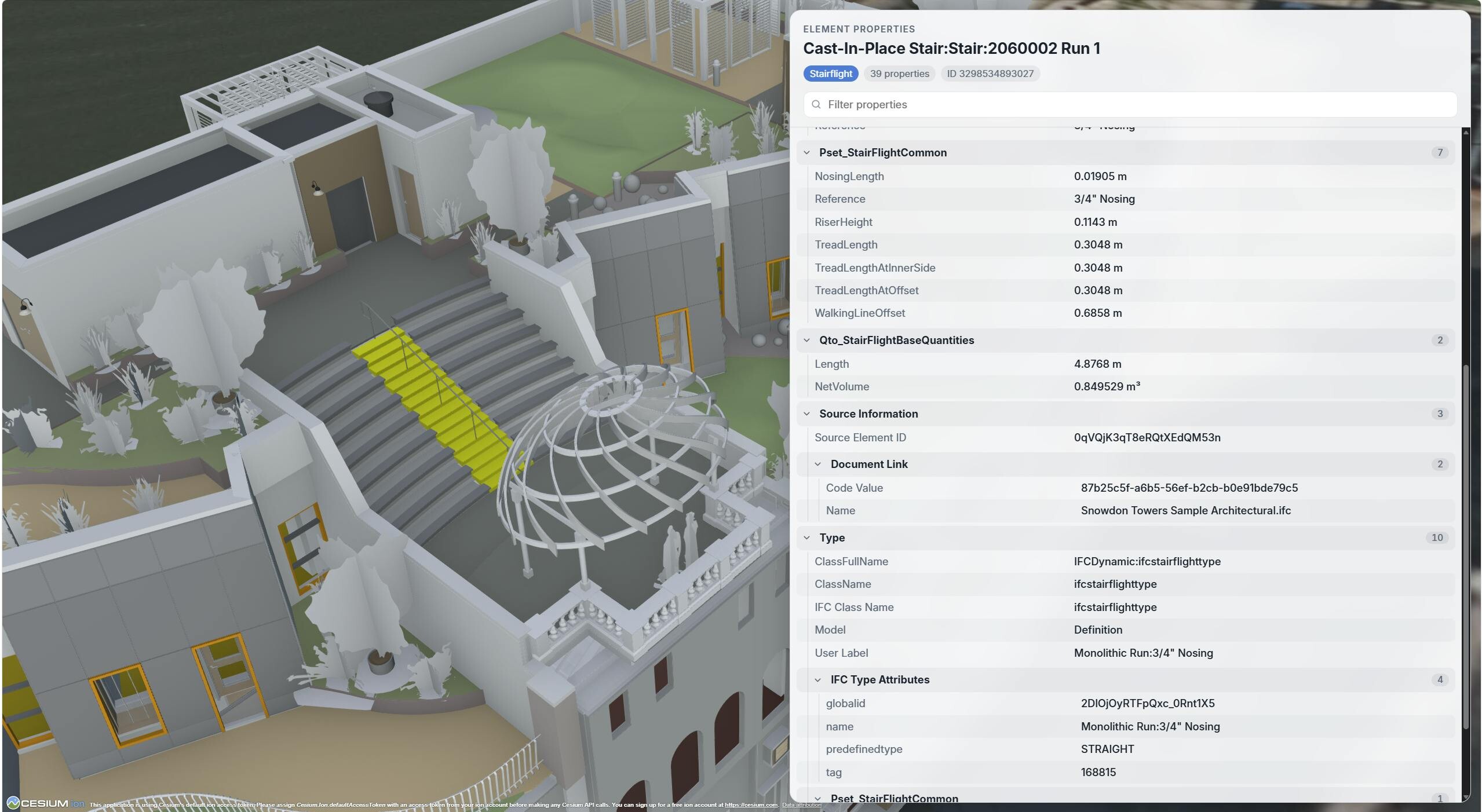
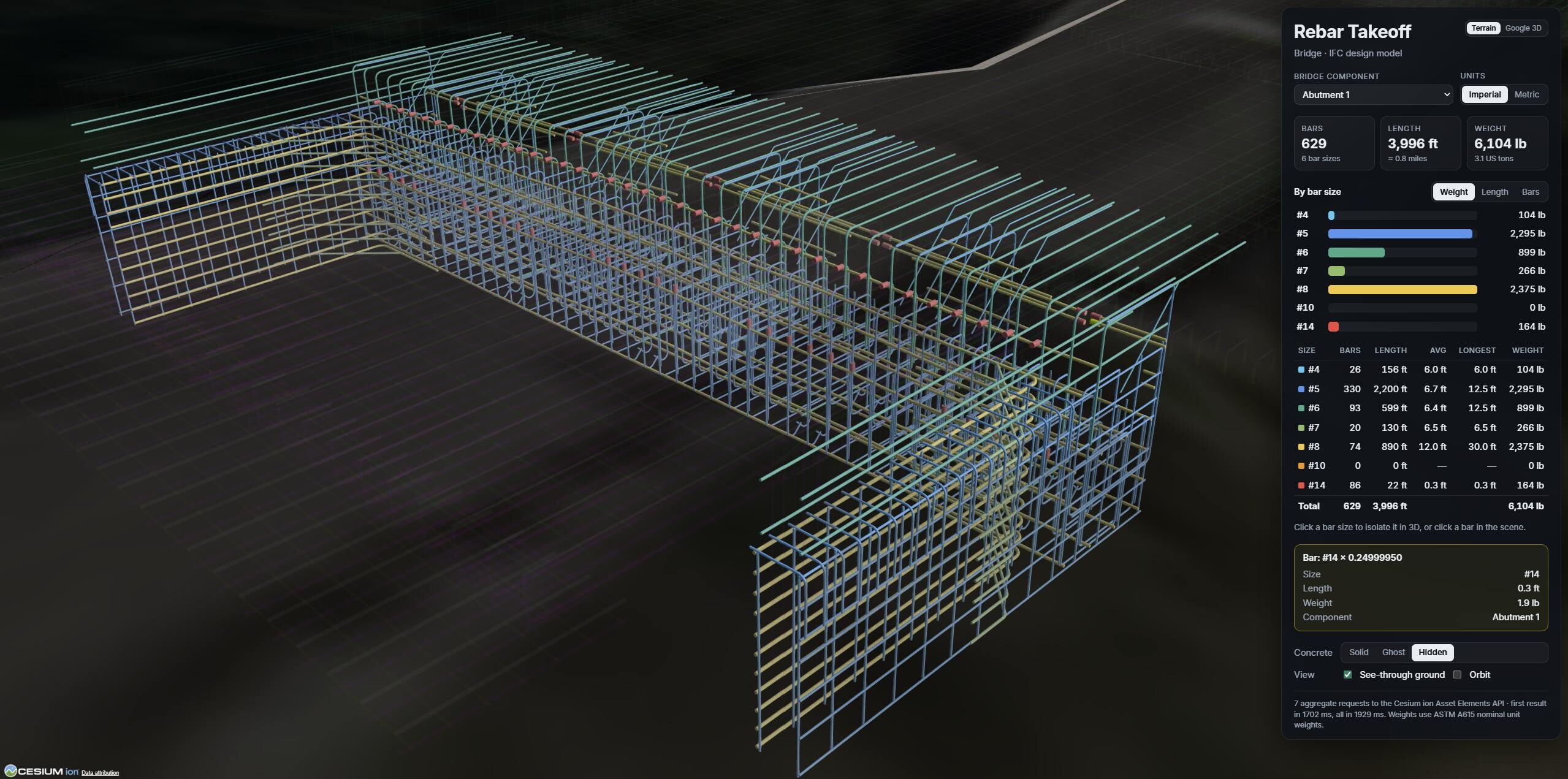
Cesium itself notes that the result depends on the source file:
"Because data structure and metadata differ from model to model, the amount of information available through the API and the efficiency of querying it may also differ."
Carefully filled-in parameters in Revit or IFC, going by this, directly affect the result, while a model with empty properties yields little. In its FAQ the company also lists specific rough edges: Revit rooms and spaces end up in the result by default as semi-transparent volumes above the model (they can be hidden with styling, and a fix at the tiling stage is planned), while text annotations are so far classified as physical elements and also appear in the tileset.
What is still in early access
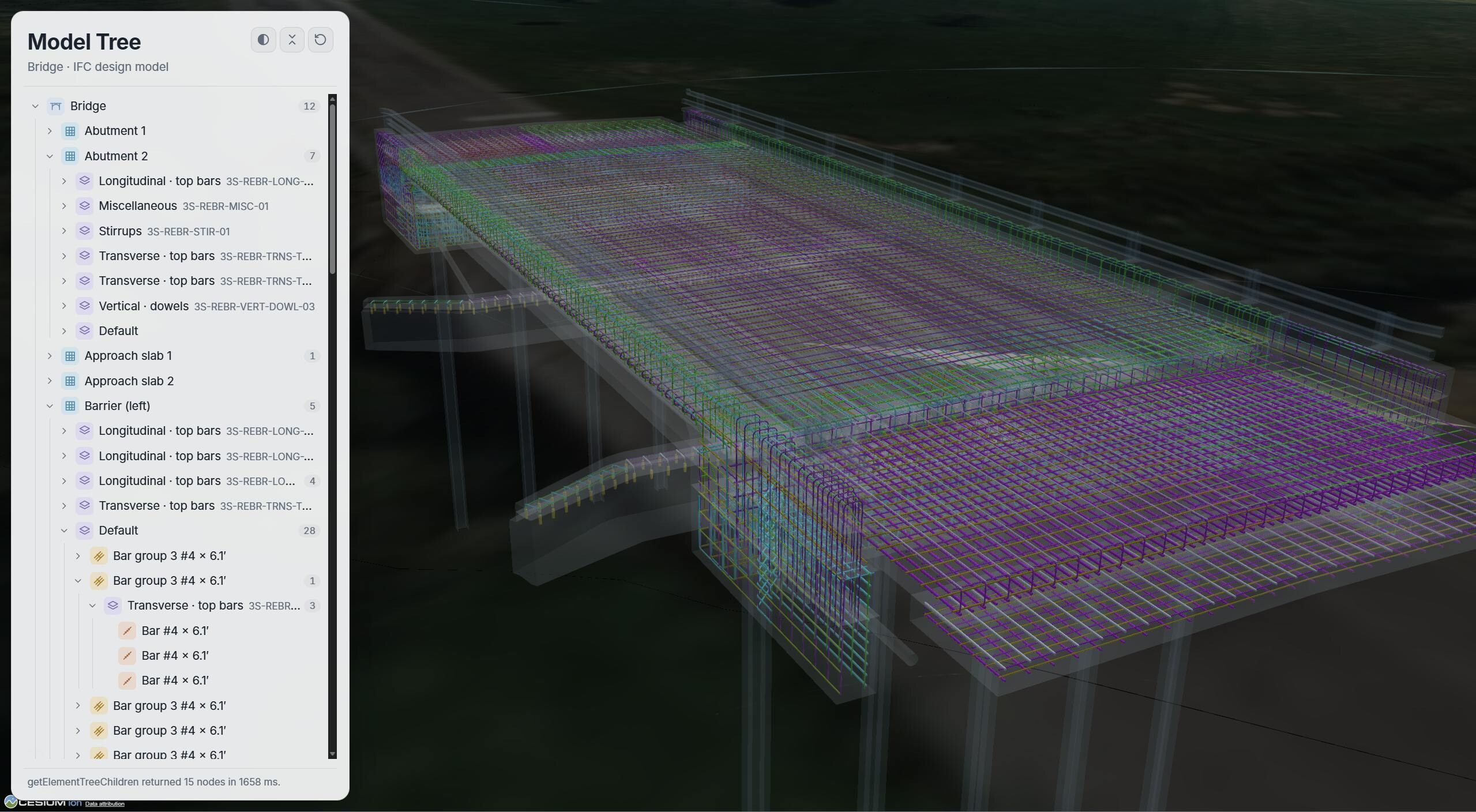
- A BIM-style model tree. Experimental APIs expose the model's hierarchy — parent and child elements — while the tree's appearance is built by the application developer.
- Edge snapping. Measurement tools in the Cesium ion SDK place points directly on geometry edges. The snapping APIs in Cesium ion and CesiumJS will stay experimental while the company gathers feedback.
- Version comparison. The ability to update models and the API for comparing versions appeared in September. The version comparison tutorial compares the two latest versions of a model and highlights added, changed and deleted elements. The GA release is planned for December.
You can ask the model in words
According to the company, the workflows described can be carried out through Cesium ion MCP — a server Cesium launched in October; queries with engineering data analysis are available through it as well. Per the documentation, Claude, Codex, Cursor, GitHub Copilot, Claude Desktop and ChatGPT connect to it; sign-in goes through an ion account over OAuth. The assistant can search assets, upload data for tiling, import iModel and query model elements. The files themselves go straight into ion storage on upload and do not pass through the AI model.
Who will find this useful and where the limits are
This will likely be useful first of all to teams on infrastructure projects and digital twins that need to show a building or bridge model on real terrain in a browser and answer a client's question about quantities. For them the chain of "export from CAD — conversion — manual georeferencing — a separate property table" is noticeably shortened. An important detail is dropping the mandatory Revit installation on the machine of whoever prepares the model for publication.
There are limits too. Within a single upload all files must be of the same format: mixing IFC and DWG in one go will not work. At the time of writing, the tiler's learning page still marked it as Technology Preview with a warning that the APIs may change. Element properties are not embedded in the tiles, they have to be fetched from the cloud with a separate request, so the application apparently ends up tied to Cesium ion. The free Community tier is intended for personal non-commercial use and provides 10 GB of storage and 15 GB of traffic per month; quotas for queries to the BIM/CAD tiler's database are moved out into the FAQ and are also in Technology Preview status. The company has collected step-by-step instructions in the BIM/CAD tutorials section.
Which of Cesium's new features would you use more often?
- Aggregating queries
- Version comparison