
ComfyUI connects its engine to Claude Code, Cursor and other AI agents
The ComfyUI developers have released Comfy MCP, an official server through which AI agents control ComfyUI directly. Claude Code, Claude Desktop, Codex, Cursor and any other client supporting the open MCP protocol gain access to image, video, audio and 3D generation. The agent also searches for models, nodes and templates and launches ready-made workflows. You can work on your own machine or on Comfy Cloud GPUs, and both connections are allowed to be active at the same time.
For an artist this means the graph does not have to be assembled by hand. The task can be described to the agent in words, for example "animate every shot from the first and last frame, 9:16, as a batch" or "make a 3D prop of the character for the exterior scene". The agent will pick the models, build a workflow or take a ready one, queue the runs and return the result. The company shows examples of such tasks on the product page: from a storyboard of eight keyframes to a 3D prop in GLB format at 24K triangles and a character turnaround in four views.
The agent fits the graph to your GPU
In local mode the agent analyses the machine: it looks at which models and custom nodes are installed and how much VRAM the graphics card has. It then takes apart complex open-source workflows and assembles a version the hardware can actually handle. This will come in handy for anyone who has downloaded someone else's graph and then spent a long time hunting for missing nodes and tuning it to their card's memory. Local runs are free, no account is needed for them, and the server itself is open: the sources are on GitHub, and the package installs from PyPI via pip. Finished files are saved to the usual ComfyUI output folder.
The company explicitly recommends the cloud to Mac owners. According to it, today's large open-weight models do not run at acceptable speed on Apple GPUs.
Model search and one toolset across all services
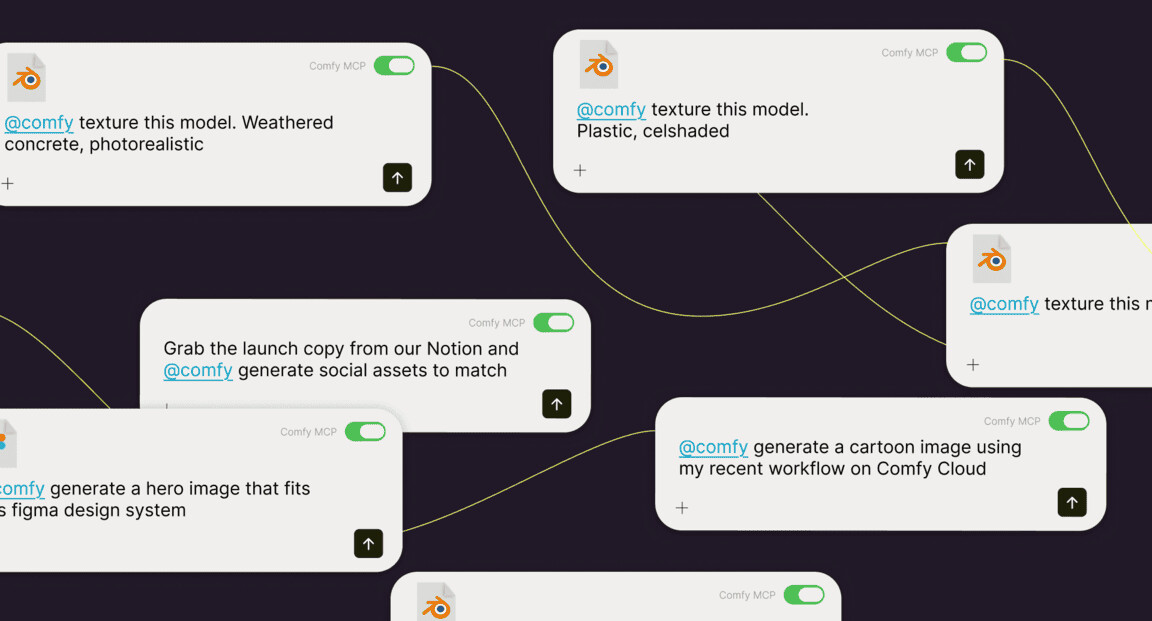
The agent searches a catalogue of thousands of models, checks ratings and picks workflow templates right in the course of the conversation. Closed partner APIs and open models are available through the same tools. The company's list includes MiniMax H3, Seedance, Flux, GPT-Image, Nano Banana, Kling, Z-Image, ElevenLabs and HY3D. In practice this makes it possible to generate a keyframe with one model, animate it with another and add sound with a third in a single conversation, without switching between services.

Batches, repeatability and apps by link
Comfy MCP is designed for series work. The agent queues a batch of tasks, tracks it and collects all the results: dozens of runs start with a single call. Among the scenarios the company names packshots for every catalogue item, character sheets from a saved workflow and sorting the results into project folders.
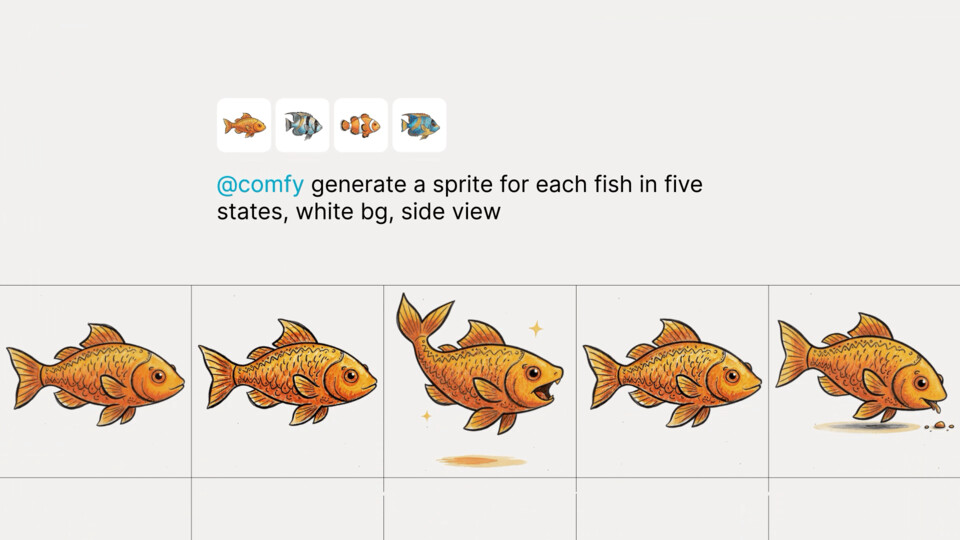
Every generation is saved as a workflow. It can be re-run, handed to a colleague by link, or opened on the ComfyUI canvas and refined by hand. The agent reads the workflows the user already has, so a studio's accumulated graphs keep working. Any workflow can be turned into a browser app with a public link. Collaborators see only the inputs the author has exposed and install nothing. This is convenient when an art director or client wants to go through options themselves without touching the graph.
"The first MCP built for production pipelines: reliable infrastructure that helps engineers and professionals ship work faster".
That is how ComfyUI itself positions the product. The claim of being first is the company's own assessment.
How to connect and what it will cost
The cloud server is connected at the address cloud.comfy.org/mcp, which is added to the client as a custom connector or remote MCP server. Nothing needs to be installed, workflows run on Comfy Cloud GPUs with the company's model catalogue, and results land in the cloud's asset library. Claude Code, Claude Desktop, Codex and OpenClaw sign in via OAuth; Cursor and Hermes still require a Comfy API key. The local server is launched by the client itself, with no URL. The company suggests simply sending the installation instructions to the agent so that it sets everything up itself.
Connection and search in the cloud are free; generations consume credits. An important condition: running the cloud through MCP requires a subscription of any tier, a one-off credit top-up is not enough. According to the Comfy Cloud pricing grid, the breakdown is as follows (the video estimates are the company's calculation for five-second clips using the Wan 2.2 Image-to-Video template at 640×640):
- Standard — $20 a month or $16 when paid annually ($192), 50,400 credits a year (about 4,560 five-second videos), a 30-minute workflow execution limit, 4 parallel Comfy Agent sessions;
- Creator — $35 or $28 when paid annually ($336), 88,800 credits (about 8,040 videos), import of your own models, 6 agent sessions;
- Pro — $100 or $80 when paid annually ($960), 253,200 credits (about 22,980 videos), workflows up to 1 hour, 8 agent sessions;
- Team — $700 a month or $630 when paid annually ($7,560) for teams.
New Comfy Cloud users are given 5 free runs on real GPUs. At the end of 2025 the company moved the cloud to Blackwell RTX 6000 Pro with 96 GB of video memory and 180 GB of system memory and called them roughly twice as fast as the A100. In December 2025 Comfy consolidated payment into a single credit system. Partner models are paid in local mode too: they run on the partners' infrastructure and draw Comfy credits from the account. In both modes the agent asks for confirmation before spending money.
What changes for those already working in ComfyUI
Agentic control of ComfyUI did not appear only now. The community has already made, for example, comfyui-mcp by the developer artokun: a server with an agent side panel and 38 tools. It works with Claude and ChatGPT by subscription, with Gemini, and with local models via Ollama completely offline. The official server differs in that Comfy itself releases it and it relies on the company's infrastructure: a hosted cloud connection, a model catalogue, partner APIs with unified payment and turning workflows into apps by link.
Judging by the feature set, the biggest winners are studios with an accumulated library of graphs and streaming tasks: catalogue packshots, key art variations, previz. Here the batch queue and repeatability will probably deliver direct savings in hours. The owner of a powerful graphics card gets the essentials for free and will only have to pay for partner models. The owner of a Mac or a weak laptop is effectively tied to a subscription. Only the local part is open; the cloud connection remains a closed service on top of Comfy Cloud. The company has not yet clarified exactly how the agent reconciles spending, whether partner models have limits, and how MCP relates to its other agentic tools. These questions are worth keeping in mind before building a production pipeline on it.
Where would you run ComfyUI through an agent?
- Locally for free
- Cloud from $20